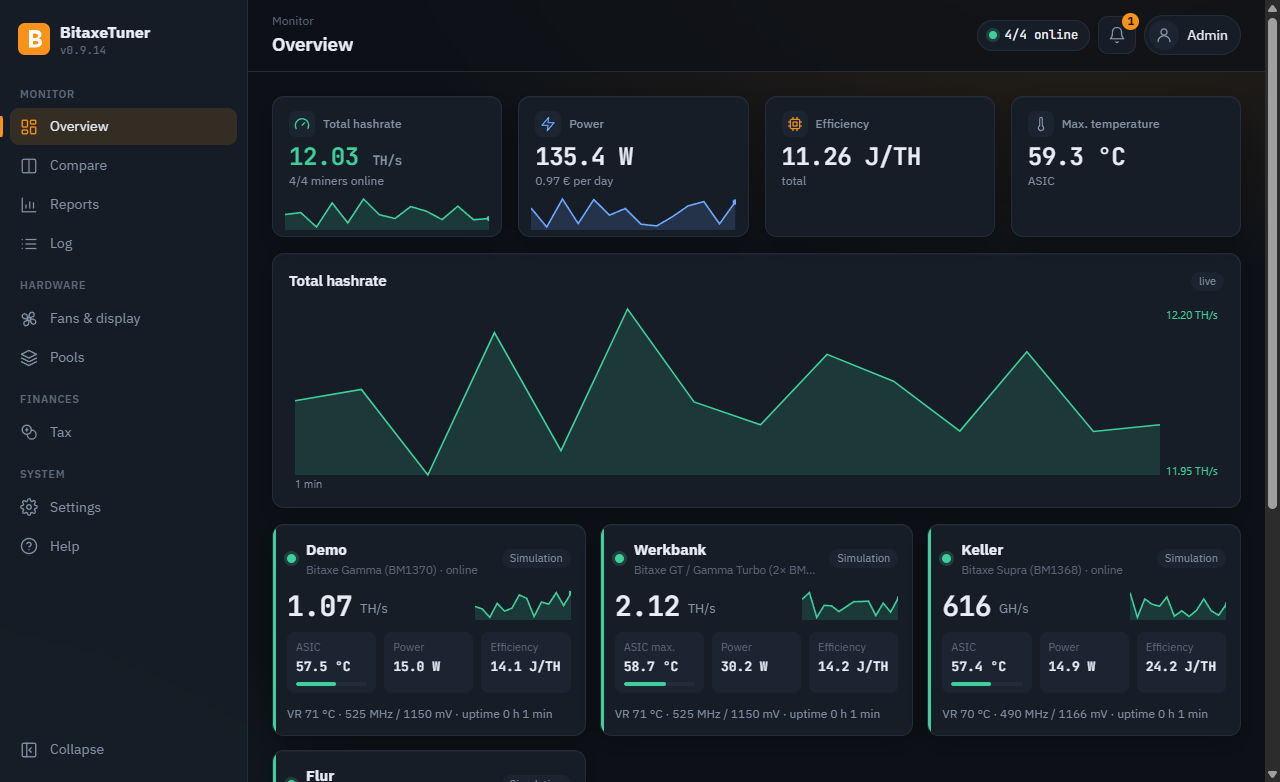
Everything a home miner needs
From the first benchmark to continuous operation: BitaxeTuner does the trying and the watching – you make the decisions.
Automatic benchmark
Tests frequency and voltage step by step, measures every combination and finds the best setting – for hashrate, efficiency or both.
Safe, not just fast
Limits per model, a watchdog on every sample, stop on overheating. Every change only after confirmation showing the old and new value.
Around the clock
The server runs on a Raspberry Pi, a Windows machine or in a Docker container – your PC can be switched off.
Monitoring & push
History, offline and temperature alerts, health early warning (cooling, fan, efficiency), pool changes, log alerts, best diff records, daily and monthly report on your phone – via ntfy, Telegram, Discord, Pushover or your own webhook, also several at once: own messages, miners and report content per service, e.g. for a community group.
Efficiency advisor
Shows the best tested setting per miner – for efficiency, hashrate or power saving – and how much power it saves per month; applied only after your confirmation.
Soak test
Checks a setting for hours – for one or all miners at once – and suggests a more stable one if there are problems.
Home Assistant
All values via MQTT with automatic device discovery. Frequency and voltage stay off-limits.
Smart plugs
Shelly, Tasmota and FRITZ!DECT plugs measure the real consumption including power supply and extra fans. Costs – tariff gross or net, optionally with hourly prices from aWATTar or Tibber –, efficiency, earnings vs. power costs and the monthly and annual report (PDF, CSV) use it; extra consumption is reported.
Many miners at once
Find and add miners in your home network, copy pool and fan settings from one miner to others – with preview and backup, never frequency or voltage.
Pool control
Enter pools once as presets and apply them to single or all miners as primary or fallback pool – also on Gamma with AxeOS 2.15 and later. Plus pool switching with automation – per time window also to any preset, e.g. for a mining party – and notifications from the pool account (payout, worker without shares). Besides Mining-Dutch also public-pool.io, solo.ckpool.org, OCEAN, Braiins Pool and ViaBTC – read-only, with an overview panel and an e-paper page.
Earnings & mining mode
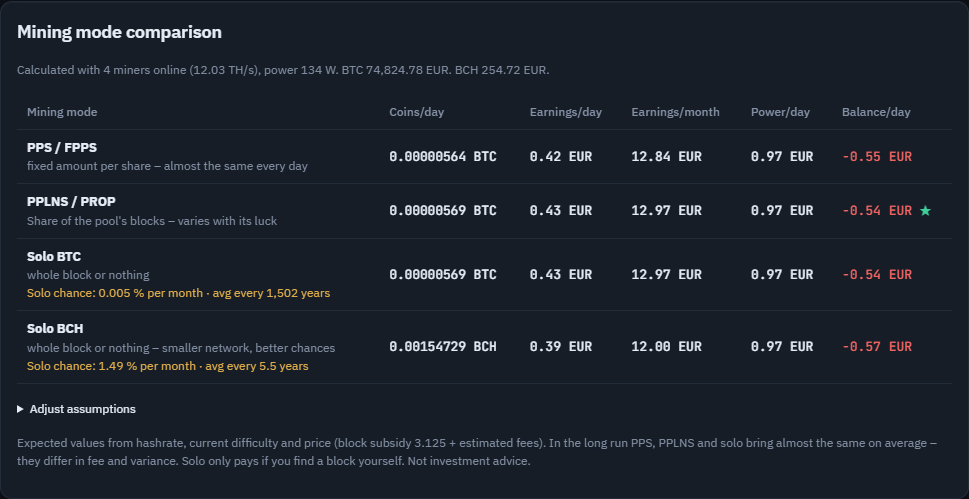
Profit after power costs for day, week and month; PPS, PPLNS and solo (BTC, BCH) compared with your real hashrate. Optionally the profit automation switches to a saving preset as soon as electricity costs more than the miner earns – or the PV automation follows the sun (metering plug, Home Assistant, Anker Solix).
Chat bots
Ask BitaxeTuner in Telegram or Discord: /status, /miner, /pool, /system … – with a picture of the e-paper page, read-only and without a third-party server. For Discord, BitaxeTuner itself is the bot template – with coloured cards, miner name suggestions and bot status; warnings optionally come with buttons [Details] [History].
App on your phone
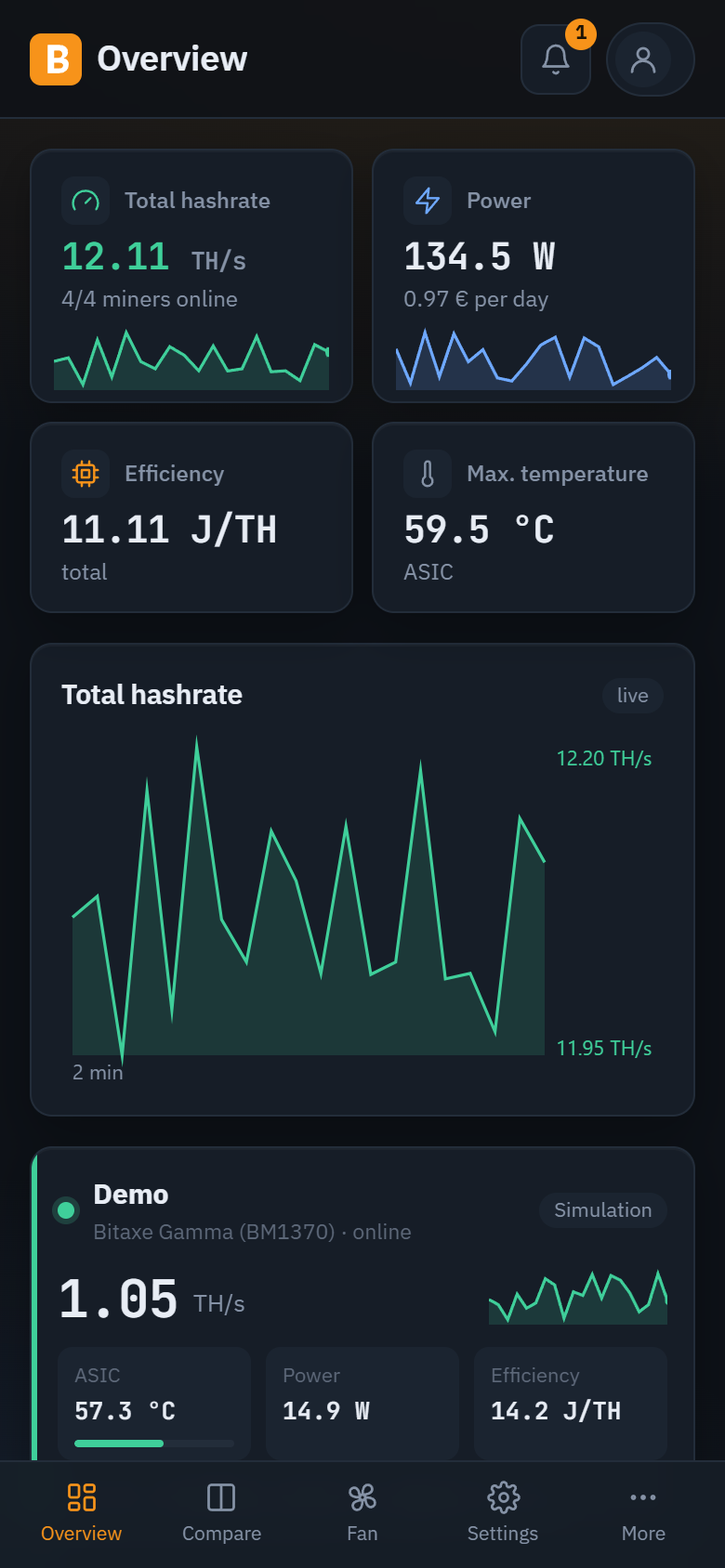
The browser interface installs as an app on Android and iPhone – with its own icon, full screen and push straight to the device, no third-party app and no account.
Backup
Daily and before every update a verified backup to a USB stick, network drive, your PC or – encrypted with your own password – to WebDAV (Nextcloud) or S3 – restored in one click, the previous state is kept. Free space at a glance, old backups can be deleted one by one. Passwords are never included. New server? Restore a backup right during setup – or move from the old to the new server with the desktop app.
Log
Who set which frequency and voltage when? Benchmarks, soak tests, automation, fan control and connections – kept for at least 30 days, filterable, as CSV.
Compare & report
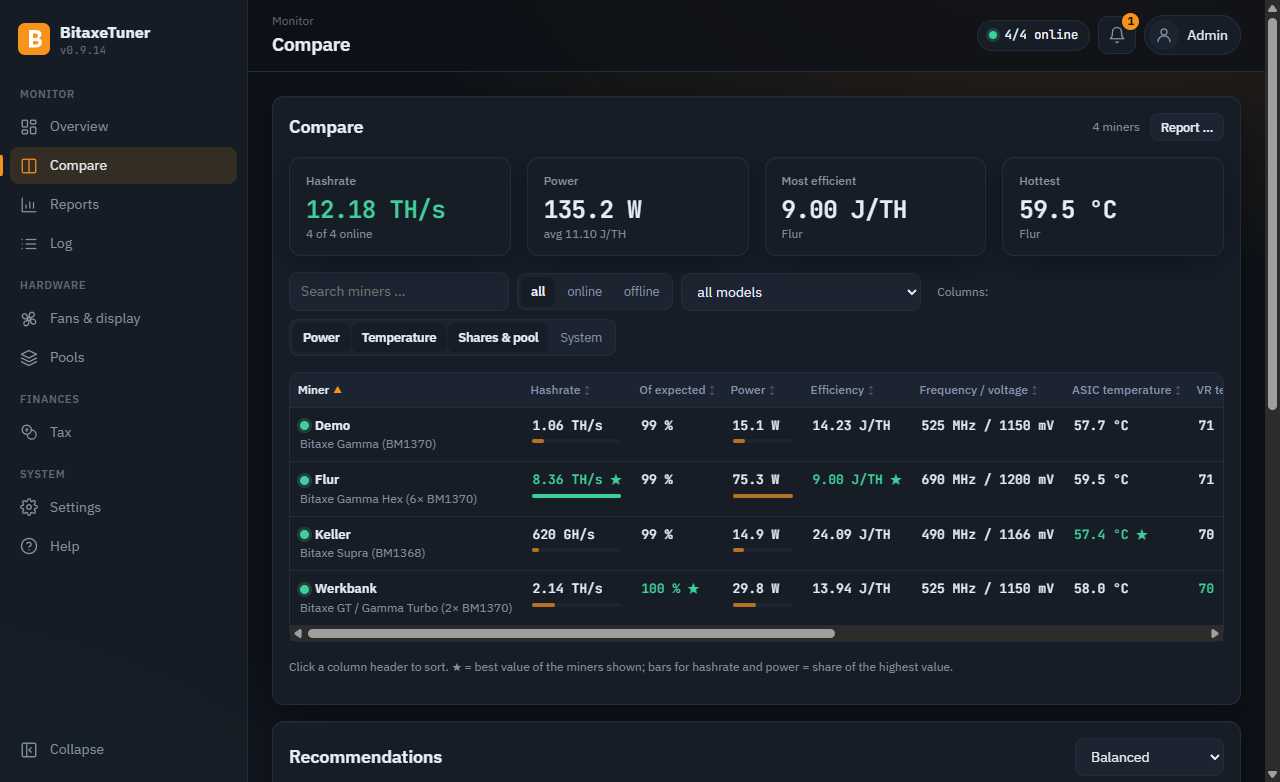
All miners side by side with filters and best values; as a printable report with the values and charts you choose – with a “cooling” preset, ideal for a question in the community.
Fans under control
Set the miner fan to automatic with a target temperature and minimum speed (as in AxeOS) or to a fixed value – within the model's limits and with confirmation.
One-click updates
Update server and Windows app together: backup first, then the server, then the app – if a step fails, everything stays as it was. While an update runs, the button is locked on every device.
Tax overview
Income with EUR rate, sales with holding period (FIFO) and CSV export – according to German tax law (§ 23 EStG), editable on the PC and in the browser.
Groups & group automation
Organise miners in groups (basement, office …), a view-only PIN per group and a schedule that switches a whole group between presets – immediately at the push of a button if you like.
Kiosk & wall tablet
Full screen without menu for a tablet on the wall. In the kiosk designer you style colours, animations and the arrangement of the panels yourself – each kiosk link with its own design.
Help built in
Guide, explanation of every log entry and of the miner logs (AxeOS/ESP-Miner) and frequently asked questions – searchable, on the PC and in the browser.
Signed & secured
Every update is signed and checked before installation. HTTPS, login lockout, home-network-only access and separately stored passwords are standard.
System health
Storage, backup, USB stick, clock, certificate – and on the Raspberry Pi temperature, memory, undervoltage, write load and a dying SD card, plus the Pi 5 server fan (also controllable) and a hardware watchdog. Checked every 10 minutes, problems arrive as a push.
Pool checks
Alert when a miner no longer uses its assigned pool preset – with “align again”. Plus the coinbase check: would the pool really pay a found block to your address?
Maintenance reminders
Operating hours per miner and reminders for dust and heatsink, fan and thermal paste – with your own intervals and “done”.
Wishes right from the app
Type your idea, send it, done – no account needed. Every wish lands as an idea on the public project board.
Six languages
Interface, push messages, daily report and e-paper in English, German, Spanish, Portuguese, French or Dutch; numbers and dates in your system's format.
In the browser, on your phone, on the PC
The BitaxeTuner server comes with a complete interface. The Windows app can embed it or do everything by itself.
- Ready-made SD card image for the Raspberry Pi – the app sets up Wi-Fi, user, country/time zone/keyboard and your data
- Password-less SSH: key and terminal straight from the Windows app
- Windows service or Docker container (NAS, home server)
- Password, view-only PIN and API tokens; reachable only on your home network
- One-time, verified move of your data from the PC to the server – and back
- One-click updates – server and Windows app together, with a backup first; the old version stays as a fallback
- Introduction on first start and “What's new” after every update
Desktop app or server – what works where?
You can switch in both directions at any time – your data moves along, verified.
| Desktop app | Server browser & phone | Desktop app with server | |
|---|---|---|---|
| Runs around the clock without the PC switched on | – | ✓ | ✓the server |
| Monitoring, history, push, daily report | ✓ | ✓ | ✓ |
| Benchmark, soak test, automation, watchdog | ✓ | ✓ | ✓ |
| Smart plugs, electricity cost, monthly/annual report | ✓ | ✓ | ✓ |
| Compare with filters, before/after, efficiency advisor | compare | ✓ | ✓ |
| Home Assistant / MQTT | – | ✓ | ✓ |
| Pico fans, e-paper, buttons | – | ✓ | ✓ |
| Tax: record incoming payments | ✓while the PC runs | ✓around the clock | ✓ |
| Tax: edit wallets and sales | ✓ | ✓ | ✓ |
| Backup | ✓second folder, USB, NAS | ✓USB stick, NAS | ✓plus a copy on the PC |
| Kiosk / wall tablet with designer | kiosk view (PIN) | ✓ | ✓ |
| Help explaining the log and miner logs | ✓ | ✓ | ✓ |
| Phone access | view only (PIN) | ✓admin or view only | ✓as server |
| Prepare Raspberry Pi, SSH terminal | ✓ | – | ✓ |
As an app on your phone
The server's interface is an installable web app: its own icon, full screen, push straight to the device – no app store, no account.
- Set up “HTTPS without warning” once (Settings → Connection, free DuckDNS name with a Let's Encrypt certificate) and open BitaxeTuner via that name
- Android (Chrome): menu ⋮ → “Install app”
- iPhone/iPad (Safari, iOS 16.4+): Share → “Add to Home Screen”, then open it from the home screen
- In the app, Settings → Push → “Register this device for push …” – messages arrive end-to-end encrypted
- Or simply tap “Install as app …” in the user menu at the top right – BitaxeTuner shows the right steps
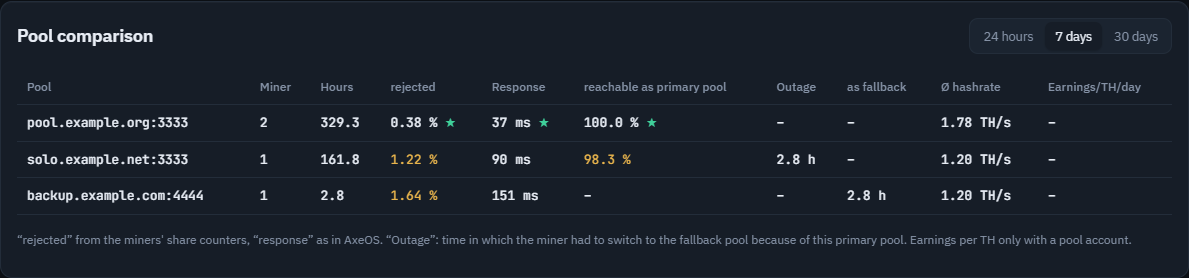
Pools and earnings at a glance
Which pool runs reliably, which mining mode pays off – and when does electricity cost more than the miner earns?
- Pool presets: enter once, apply to single or all miners – also on Gamma with AxeOS 2.15 and later
- Pool comparison: rejected shares, response time, outages and earnings per TH for 24 hours, 7 or 30 days
- Mining mode comparison: PPS, PPLNS, solo BTC and solo BCH with your hashrate, power costs and solo chance
- Profit automation with approval: saving preset whenever mining doesn't pay right now
Accessories: fans, e-paper, buttons
A Raspberry Pi Pico for a few euros turns the server into a small mining control centre – built without any soldering.
- Up to six 4-pin PWM fans: VR cooling per miner and case fans, automatic by temperature
- Via USB on the server or over Wi-Fi (Pico 2 WH; the Pi can pass on its own Wi-Fi) – also as a separate display Pico plugged straight onto the e-paper
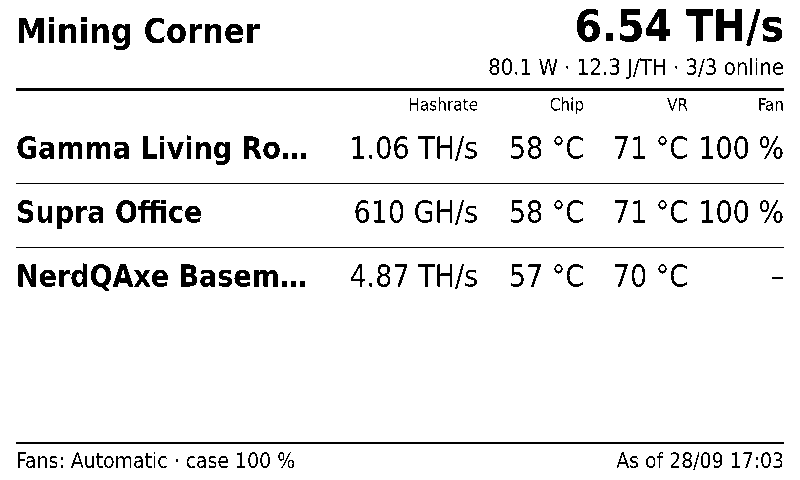
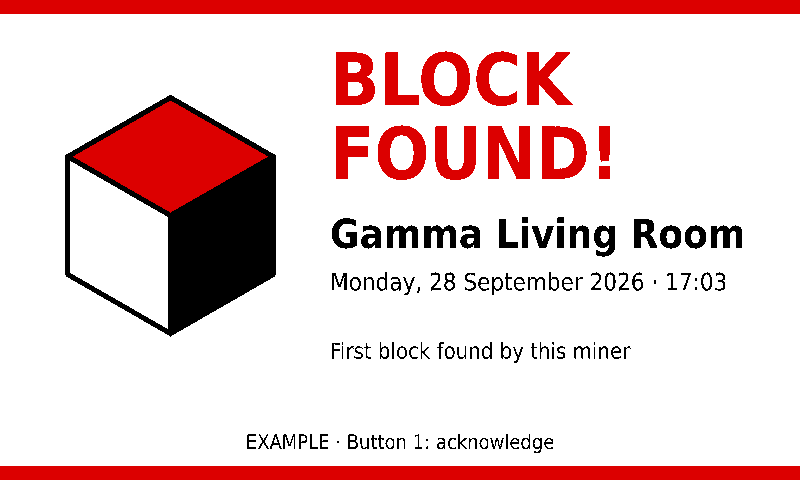
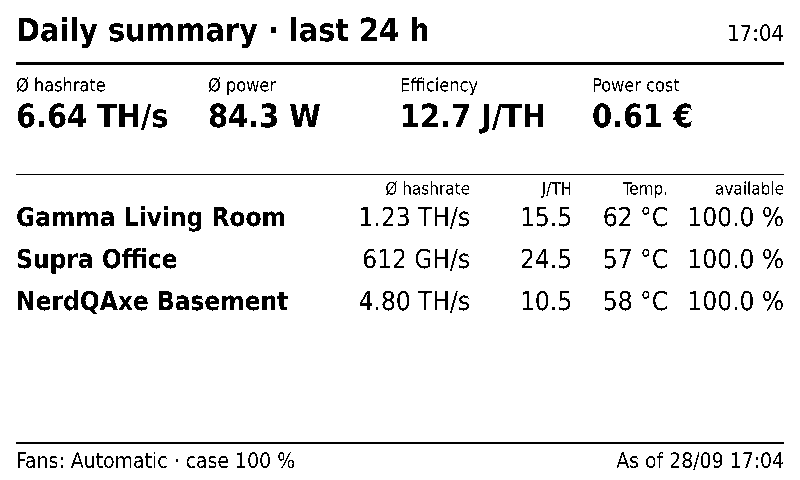
- 7.5″ e-paper (black/white/red) or 7.3″ Spectra 6 in six colours with overview, daily and monthly summary with chart, monthly comparison, prices of the mined coins, income & power, solo chance, Bitcoin network (fees, difficulty, halving), pool, system health, groups, electricity price, sensors, QR code and your own image – page order by time of day, colours invertible, special screens (block find, warnings, record) with their own rule
- Four buttons for display, fans and restart
- Temperature sensors, e.g. at the power supply and in the miner room
- If anything fails, the fans automatically run at full speed
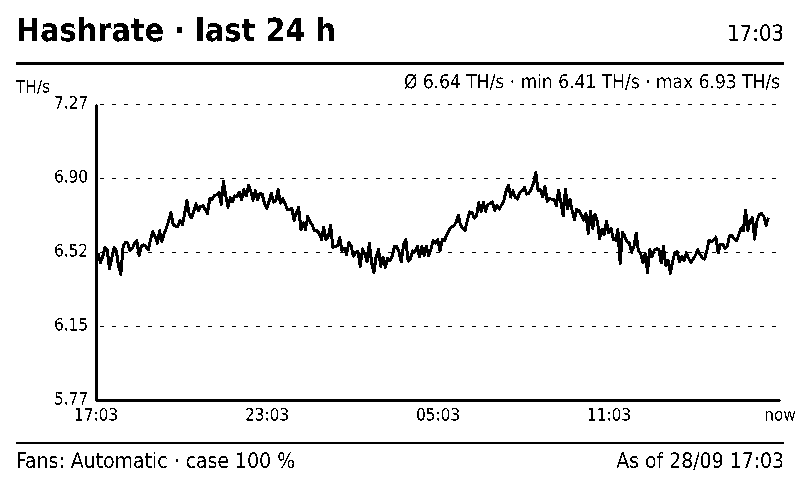
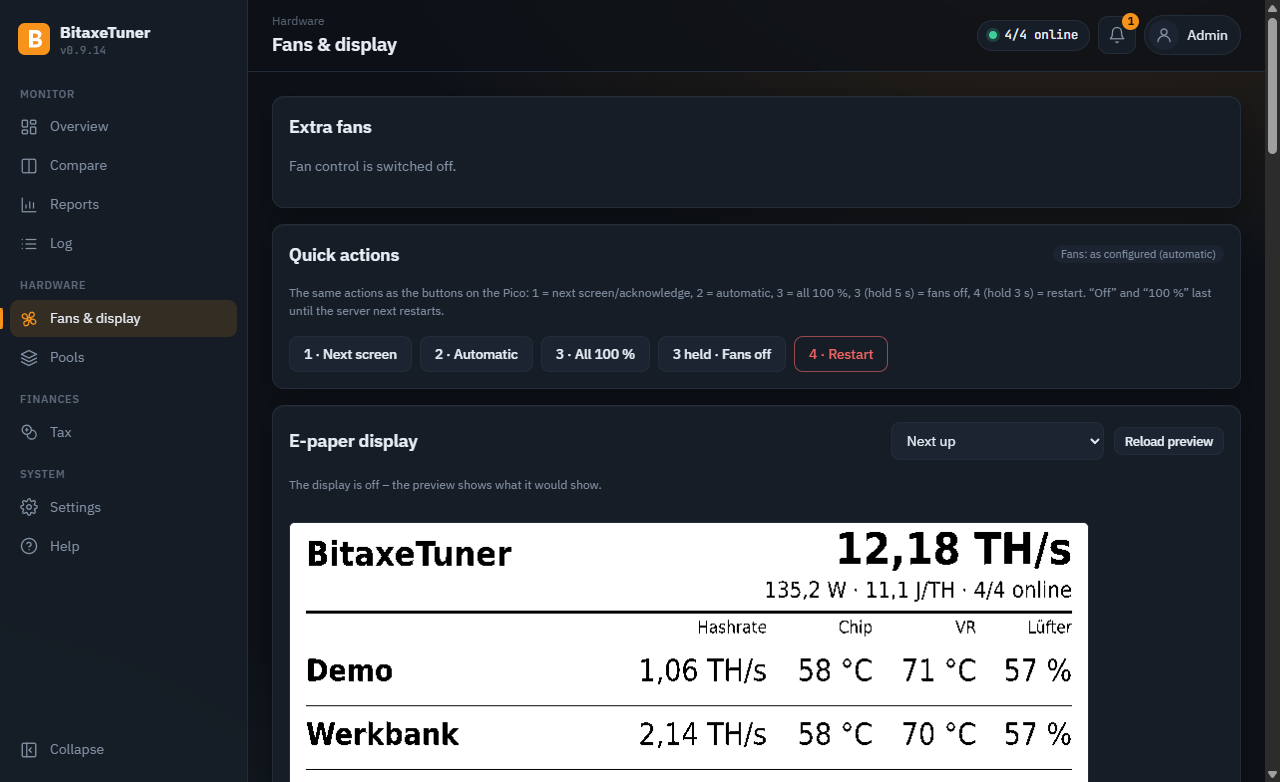
Fans and display under control
Curves per fan, case group, night mode, temperature sensors with their own warning thresholds – and a preview of every e-paper page right in the browser.
Download & get started
All downloads with SHA-256 checksums are on the release page.
The Windows setups are built by GitHub Actions directly from the public source code.
Note: the Windows setups are not digitally signed yet, so Windows shows a warning on first start
(“More info” → “Run anyway”). We are working on getting the program signed.
Until then you can verify a file with the SHA-256 checksums on the release page.
PC only
Install BitaxeTuner-Setup-….exe, let it find your miners, start a benchmark. Monitoring runs while the PC is on.
Raspberry Pi (24/7)
Write the image …-pi-arm64.img.xz with Raspberry Pi Imager, then “Prepare Raspberry Pi” in the app – done. Pi 3, 4, 5 or Zero 2 W.
Docker / NAS
docker compose up -d with the included docker-compose.yml – then set it up in the browser.
⚠️ Overclocking at your own risk. Higher frequency and voltage increase power draw and temperature and can damage the hardware. Check your power supply and cooling. BitaxeTuner sticks to the limits of your device profile and changes nothing without your confirmation.
🌐 The program speaks English, German, Spanish, Portuguese, French and Dutch: desktop app Settings → Language, browser language selector, server messages Settings → Server language. The tax module follows German tax law.